Using the editor
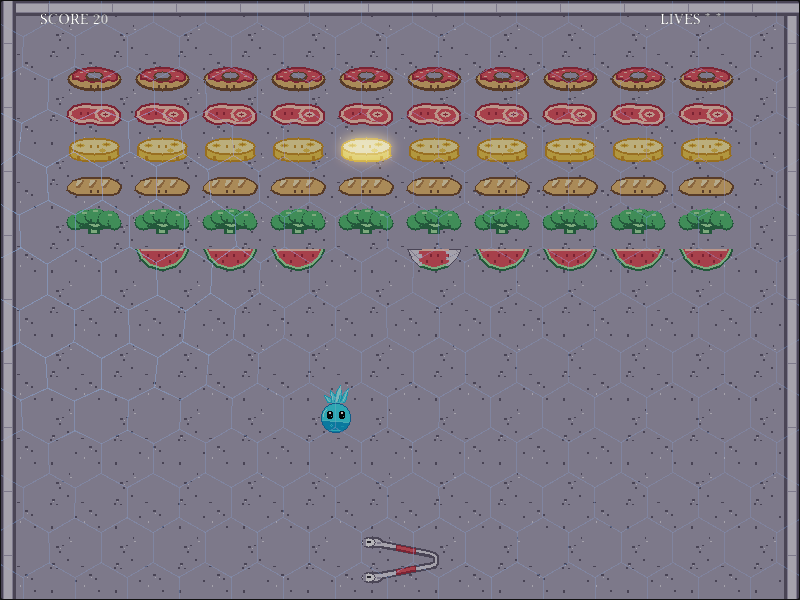
The real Rust game, running inside the engine’s scene editor. Its entities are live and editable — select them, move them, press play — but the rules are compiled in, and nothing persists: reload the page and the game is itself again.
Click the canvas to focus it, then F5 to play the real game.
Elsewhere
Keyboard shortcuts
- Ctrl+P — play / pause; F5 — play; Ctrl+Shift+P — stop
- Ctrl+S — save the scene for this session only — a reload brings the game’s own layout back; Ctrl+Shift+S — save as
- Q / W / E / R — select / move / rotate / scale tool
- Space + drag or middle drag — pan; scroll — zoom; + / − / 0 — zoom in / out / reset
- F — frame the selection; Home — reset the camera
- Click — select; Shift — add; Ctrl — toggle; Ctrl+A — all; Esc — cancel
- Arrows — nudge the selection (Shift ×10); F2 — rename
- Ctrl+Z / Ctrl+Shift+Z — undo / redo; Ctrl+D — duplicate; Ctrl+C / Ctrl+X / Ctrl+V — copy / cut / paste
- Delete or Backspace — delete the selection
- G — grid; S — snapping; C — collider outlines